
Download World OTC – finance app, OTC trading, compliance tool, anti-money laundering, financial management, secure finance
Overview
World OTC is a free finance application designed for Android users, developed by insonarisickterry. Positioned within the Business and Productivity category, the app aims to provide a comprehensive platform for managing personal and business finances with a strong emphasis on regulatory compliance. Its primary focus lies in supporting anti-money laundering (AML) controls, ensuring that users adhere to federal and state financial regulations.
By integrating compliance mechanisms into its core functionality, World OTC helps users enforce policies and procedures that deter illicit financial activities. The app offers access to a range of financial services and consumer protection frameworks, enabling users to operate within legal boundaries. It is intended for individuals and businesses seeking a secure and structured way to manage their financial operations while maintaining regulatory alignment.
Real-world usage scenarios include monitoring transactions, tracking compliance status, and ensuring documentation meets legal standards. The developer did not provide additional details about the app’s background or development history. The app was released on March 5, 2024.
Key Features & Capabilities
- Anti-Money Laundering Controls: Built-in mechanisms to detect and prevent suspicious financial activities, helping users comply with federal and state AML regulations.
- Regulatory Compliance Dashboard: Centralized interface for monitoring adherence to financial laws, including consumer protection standards and reporting requirements.
- OTC Trading Support: Tools designed to assist users in managing over-the-counter trading activities with proper documentation and oversight.
- Financial Management Module: Features for organizing transactions, tracking balances, and generating compliance-ready reports.
- Secure Data Handling: Encryption and access controls to protect sensitive financial information from unauthorized access.
These features support users in maintaining legal compliance while conducting financial operations. For example, businesses involved in OTC trading can use the app to document transactions and verify regulatory adherence. Individuals managing personal finances can leverage the compliance dashboard to stay updated on legal obligations.
The financial management module enables users to generate structured reports for audits or internal reviews. While the app’s functionality is centered on compliance, its design allows for efficient financial tracking and record-keeping. The developer did not specify additional technical features or integration options.
User Interface, Workflow & Performance
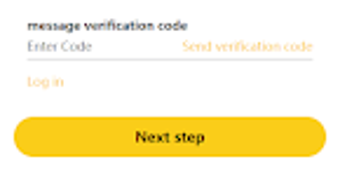
World OTC features a clean, task-oriented user interface tailored for Android devices. Navigation is structured around core functions such as compliance monitoring, transaction tracking, and report generation. The layout prioritizes accessibility, allowing users to quickly locate essential tools without extensive training.
Workflow efficiency is supported through logical menu organization and intuitive input fields, enabling users to perform actions like logging transactions or reviewing compliance status with minimal steps. The app’s performance is consistent with typical Android applications of its size, though exact performance details were not specified. Resource usage behavior, including CPU and RAM consumption, remains unconfirmed.
The developer did not provide information on stability under heavy usage or long-term operation. Users can expect standard responsiveness on modern Android devices, but performance may vary depending on device hardware and system conditions. The app’s lightweight footprint of 12.5 MB suggests efficient memory management, though this does not guarantee optimal performance across all devices.
Compatibility & System Requirements
World OTC is designed to run on Android operating systems. The app’s version is 1.0, and it has a file size of 12.5 MB, indicating a lightweight installation. Compatibility information is limited to the Android platform, with no details on minimum OS versions, screen resolution support, or hardware specifications.
The developer did not specify whether the app supports tablets, wearables, or other Android-based devices. Exact system requirements were not listed. Users should ensure their device meets general Android compatibility standards for installing third-party applications.
The app’s release date was March 5, 2024, suggesting it is a recent addition to the Android ecosystem. No information was provided about future updates or backward compatibility with older Android versions.
Pros and Cons
Pros
- Free to download and use, making it accessible to a broad audience.
- Focus on anti-money laundering and regulatory compliance, beneficial for businesses and individuals.
- Lightweight installation size of 12.5 MB, suitable for devices with limited storage.
- Designed for OTC trading, offering specialized tools for this niche.
- Secure data handling practices to protect sensitive financial information.
Cons
- Limited information on system requirements and compatibility details.
- No public user reviews or performance benchmarks available for evaluation.
- App is relatively new, so long-term stability and feature maturity are unverified.
- Limited developer background information may affect trust for some users.
- Functionality is focused on compliance, which may not suit general financial tracking needs.
FAQ Section
Is World OTC compatible with all Android devices?
World OTC is designed for Android, but specific compatibility details such as minimum OS version or hardware requirements were not provided. Users should ensure their device supports third-party app installations.
Is the app secure for handling financial data?
The app includes secure data handling features to protect sensitive financial information. However, detailed security protocols were not disclosed by the developer.
Does World OTC require an internet connection to function?
While the app’s online functionality is not specified, compliance tools and financial services may require an internet connection for real-time updates and data synchronization.
Are there regular updates for World OTC?
Updates are not publicly documented. The app was released on March 5, 2024, and no information was provided about the update frequency or release schedule.
Can I use World OTC offline?
It is unclear whether the app supports full offline functionality. Some features may require an internet connection for compliance checks and data access.
Final Thoughts + CTA
World OTC presents a focused solution for users seeking to manage financial operations with a strong emphasis on compliance. Its integration of anti-money laundering controls and support for OTC trading make it a valuable tool for businesses and individuals operating in regulated environments. The app’s lightweight design and free pricing model enhance its accessibility.
While detailed system requirements and performance data are missing, the app’s structure suggests usability on standard Android devices. Users who prioritize legal adherence and secure financial management will find the app’s features aligned with their needs. However, the lack of public reviews and limited developer transparency may raise questions for cautious users.
Overall, World OTC is a promising addition to the finance app landscape for compliance-driven users. Download World OTC now.







